 Splice
Mark the parts.Cut them at once.
Splice is an audio editor for Android that works entirely on your phone. No internet, no account, and the microphone only when you record.
- 1 0:03.2 - 0:05.1
- 2 0:13.4 - 0:14.8
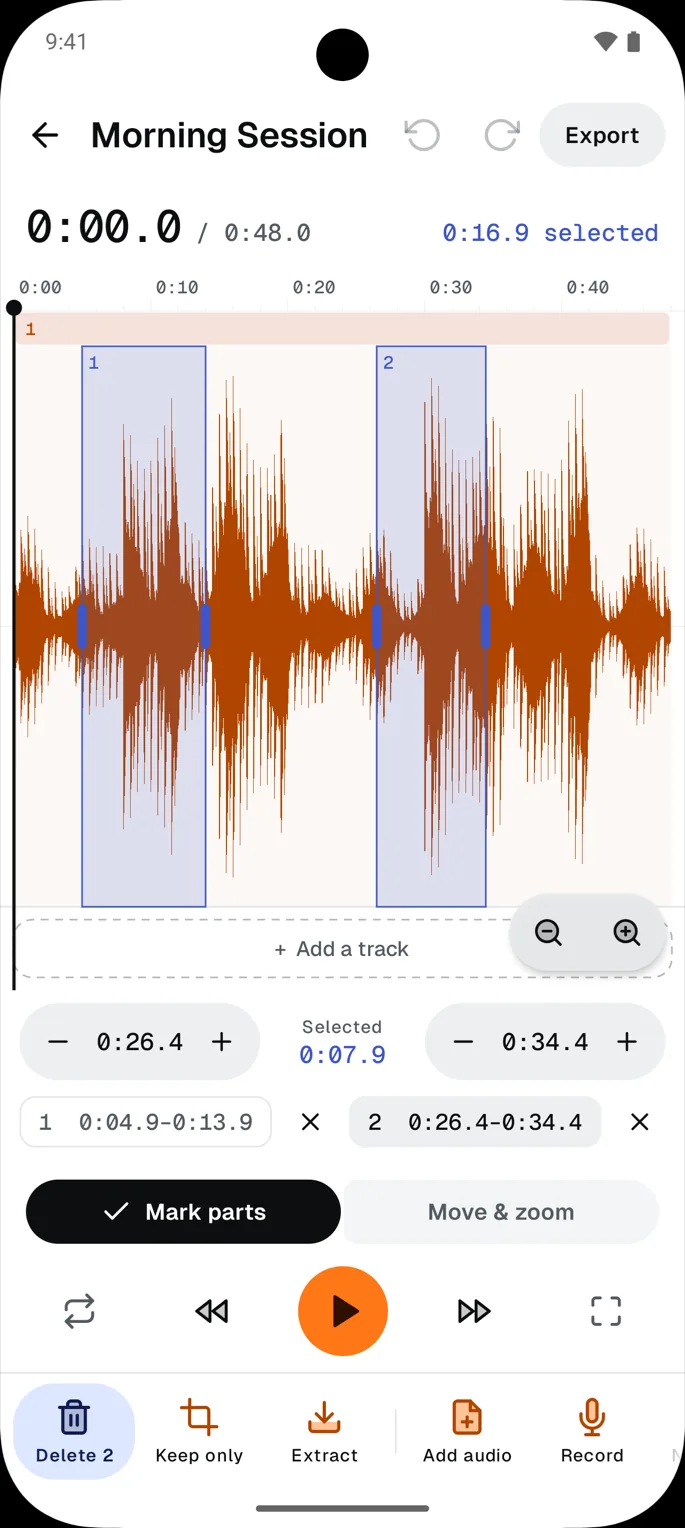
Drag across the waveform to mark a part.
Try it: drag across the recording, then press Delete.
Several files become one recording
- intro-music.m4afrom 0:00
- interview-take-2.wavfrom 0:18
- room-tone.wavfrom 4:54
- outro.m4afrom 5:00
Joined in order. Each seam gets a 2 ms fade, so nothing clicks.
Four steps,
one phone.
- 01 · Bring it in
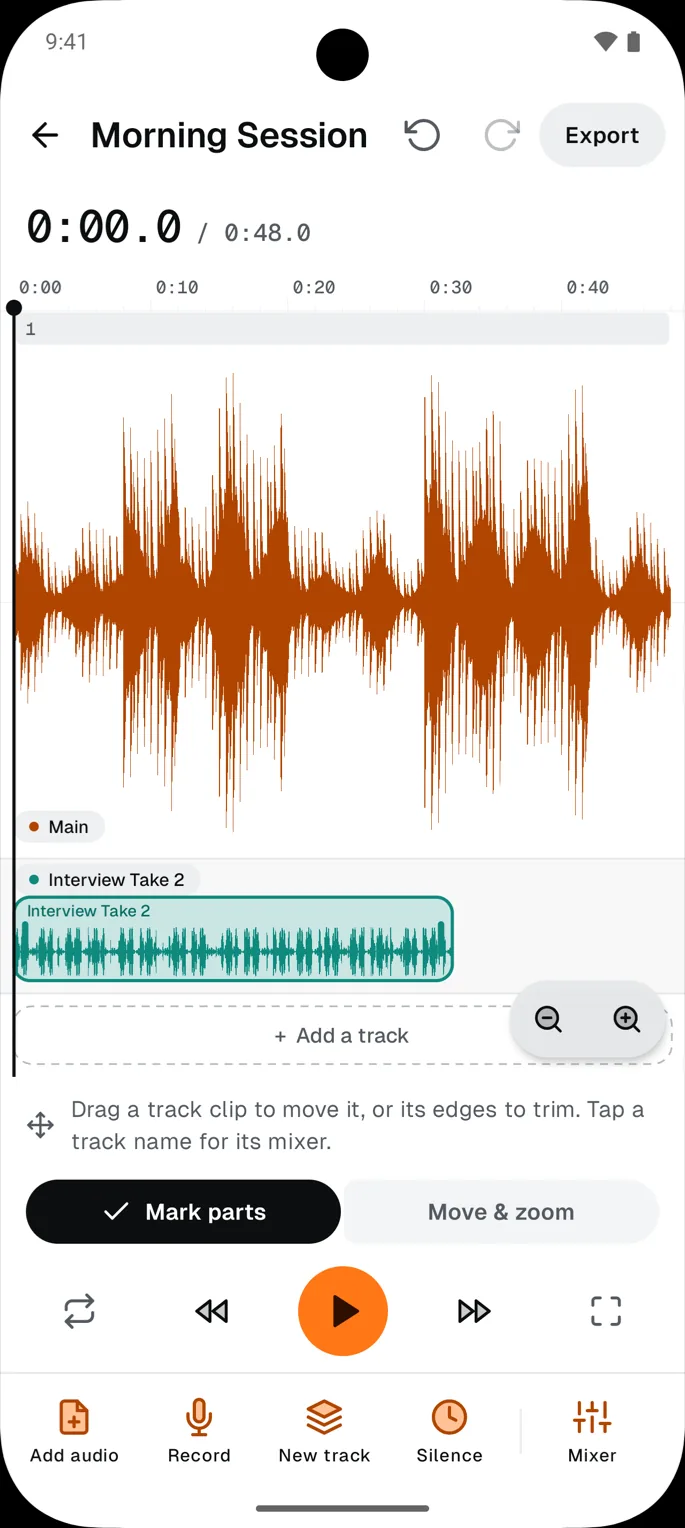
Pick one file or several from the system picker, choose “Edit in Splice” from another app, or record straight in. Layer them on new tracks or join them on the main one.
- 02 · Mark
Drag across the waveform once per part. Nudge any edge by a tenth of a second with the plus and minus buttons, then delete them all at once.
- 03 · Shape
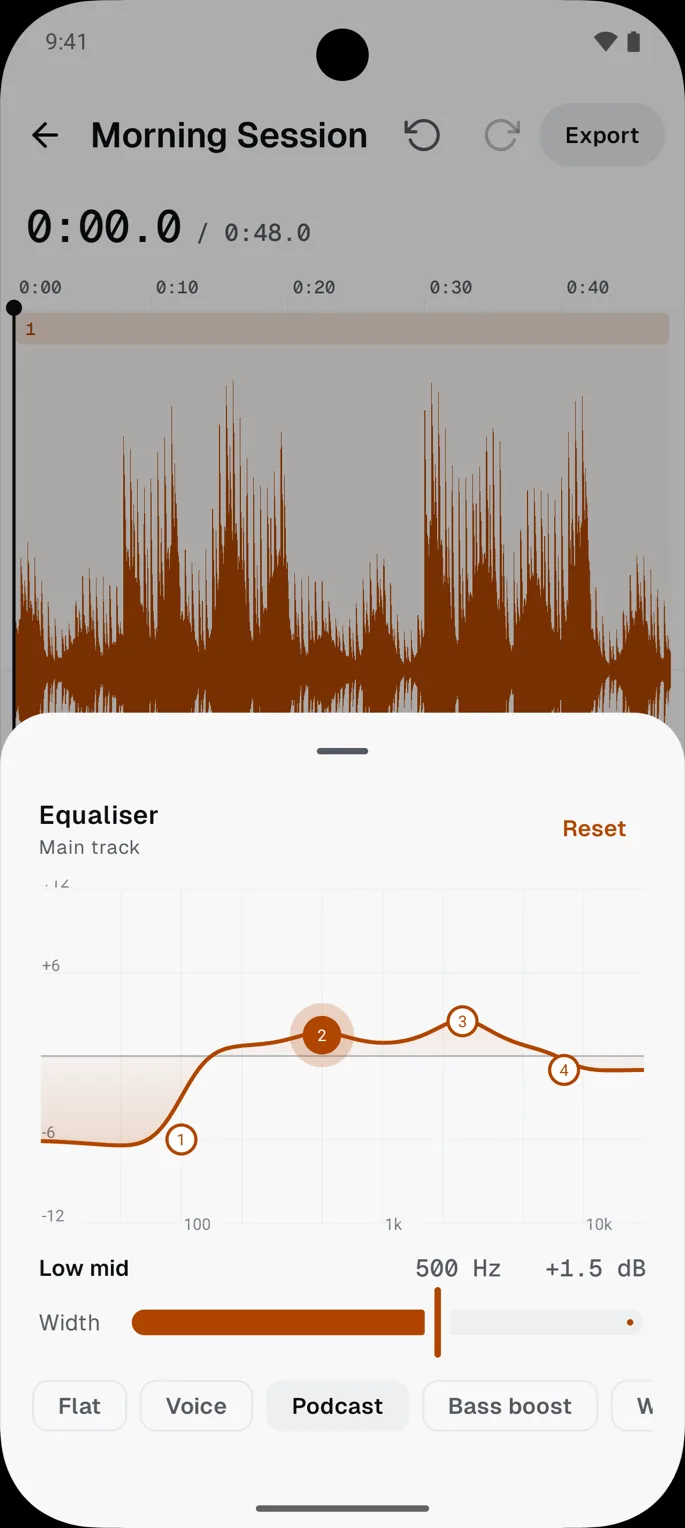
Open a track's equaliser and drag its four points, or start from a preset such as Voice or Podcast.
- 04 · Export
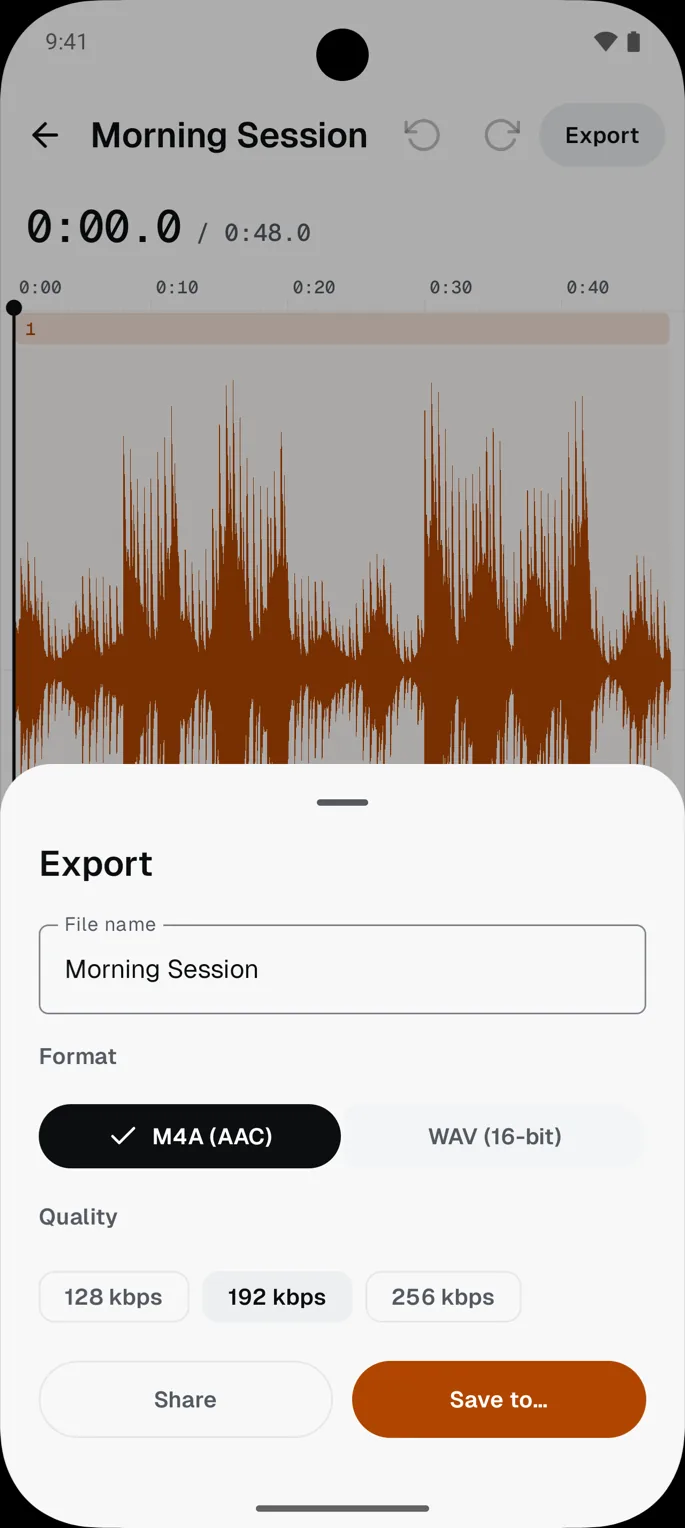
Name the file, choose M4A or WAV, and save it where you like or hand it to another app.
- Questions, answered
- One: the microphone, and Android asks only when you first tap Record. Say no and everything else still works. Splice never asks for storage or the internet; files reach it through Android's own picker, so it only ever sees the ones you choose.
- It can't. Splice has no internet access at all, and it carries no analytics, ads or crash reporting. Your audio leaves the phone only when you save or share it.
- In Splice's private storage on the phone, with its own copy of each file so a project still opens if the original moves. Clear it in Settings, or delete the project.
- M4A (AAC) at 128, 192 or 256 kbps, or WAV: lossless 16-bit, 44.1 kHz stereo, about 10 MB a minute.
- Android 8.0 or newer, phones and tablets.
- Yes. Undo and redo sit at the top of the editor, and a cut never touches your original file.
- It is short, because there is little to say. Read it here.
One: the microphone, and Android asks only when you first tap Record. Say no and everything else still works. Splice never asks for storage or the internet; files reach it through Android's own picker, so it only ever sees the ones you choose.
Your file,
your phone.
Splice installs from Google Play and runs on Android 8.0 and newer. Nothing to sign up for.